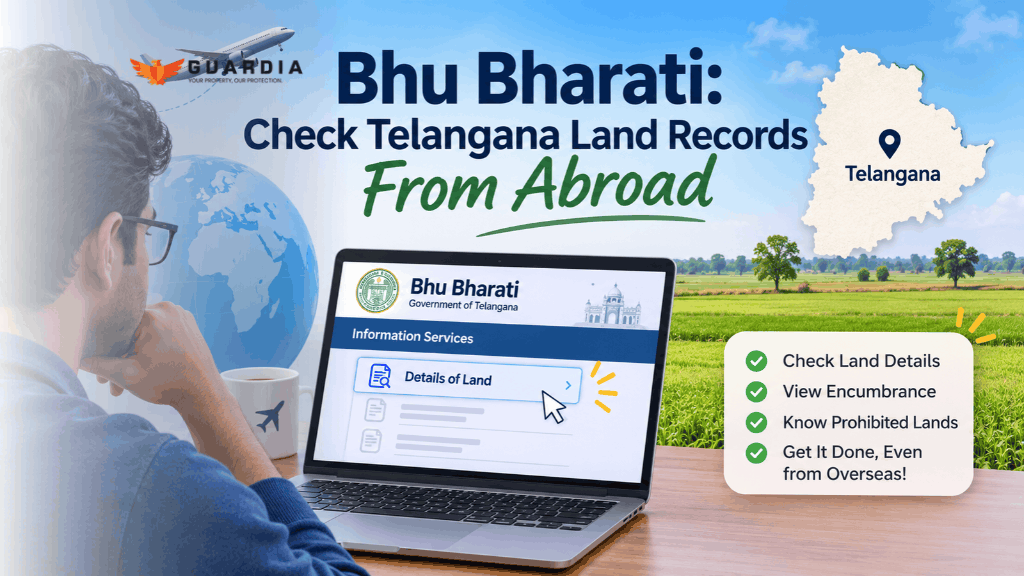
Suppose Ravi works as a software engineer in New Jersey. His father bought three acres of farmland near Shadnagar back in the nineties and passed away four years ago. Since then, nobody in the family has really looked at the land records. The passbook is “somewhere in the almirah,” according to his mother.
One Sunday, his cousin mentions on a WhatsApp call that some real estate guy was asking around the village about that land. Nobody sounds worried. But after the call, Ravi can’t let it go. Is the land still in his father’s name? Has anything changed?
So at 11 p.m., he Googles it and lands on Bhu Bharati. He finds a page of dropdowns and a captcha, and a district list that doesn’t seem to have the place he’s looking for. And one big question: is this site even going to work from the US?
If you’re in Ravi’s shoes, this post is for you. We’ll cover what you can check on Bhu Bharati from abroad, what you can’t, and what to do when the site simply won’t load on your connection.
Can NRIs check Bhu Bharati land records from abroad?
Short answer: sometimes. Looking up your record needs no login, so in theory it works from anywhere. In practice, many of our NRI clients tell us the portal often times out or shows a blank page on overseas connections. And anything beyond looking needs an OTP on an Indian mobile number.
| What you want to do | Works from abroad? |
| View your land details (pattadar, extent, khata) | Usually, if the site loads on your connection |
| Check the prohibited lands list or encumbrance details | Usually, if the site loads |
| Log in, apply for a correction, mutation or passbook | Only with a 10-digit Indian mobile number for OTP, or through the NRI module after registering |
| Get a certified copy for a bank or court | No. Someone has to get it through official channels in India |
If Bhu Bharati won’t open for you, Guardia can help. Guardia’s Property KYC checks your land records for you, for land in both Telangana and Andhra Pradesh. Log in at guardia.co, add your property and run a Property KYC. No Indian SIM, no relative on the phone.
Check your land records with Guardia Property KYC →
If the site does load for you, here’s how to do it yourself.
Is the Bhu Bharati portal the right place to check your Telangana land records?
This trips up a lot of people, so it’s worth sorting out before you start.
Bhu Bharati is Telangana’s record of rights for agricultural land, run by the Chief Commissioner of Land Administration (CCLA). It replaced the old Dharani portal in April 2025. So if you’ve seen people search for “CCLA Telangana land records search”, this is the portal they mean. If you own farm land, an inherited plot in a village, or land on the edge of the city that’s still classed as agricultural, this is your place.
If you own a flat or a house in Hyderabad city, you’ll go round in circles here. When you open the land search, Hyderabad district isn’t even in the dropdown. Apartments and city plots are tracked through registration records and municipal property tax, not Bhu Bharati.
| What you own | Where to check |
| Agricultural land anywhere in Telangana | Bhu Bharati |
| Land near Hyderabad that’s still agricultural (Rangareddy, Medchal-Malkajgiri, Sangareddy and so on) | Bhu Bharati |
| Flat, house or layout plot in Hyderabad or another town | Telangana registration department website for the EC, and your municipality (such as GHMC) for property tax |
| Any land or property in Andhra Pradesh | AP has its own portal, Meebhoomi |
Not sure whether your plot is still agricultural? Search it on Bhu Bharati anyway. If it shows up, Bhu Bharati is tracking it. If it doesn’t, it’s likely in the registration and municipal records instead.
What to have in hand before you start
The portal won’t let you browse. You have to tell it exactly which piece of land you mean. So before you open it, message whoever has the papers and ask for a photo of the passbook’s first page, or the old sale deed.
You’ll need one of these two sets:
Option A: search by survey number
- District, mandal and village. Spelling matters less than you’d think, because you pick them from dropdowns.
- The survey number or sub-division number, for example 214/A. It’s on your sale deed, old pahani or passbook.
Option B: search by pattadar passbook
- The pattadar passbook (PPB) number. This is the owner’s land passbook issued by the revenue department.
- Plus one of these: the first four digits of the owner’s Aadhaar, or the owner’s passport number, or a company, trust or firm number if the land is in an organisation’s name.
That passport option is the one most NRIs don’t know about. Bhu Bharati lets NRIs without Aadhaar get a passbook using their passport details, and the search screen accepts a passport number for exactly that case.
You may also see a Bhudhaar number mentioned. That’s the new unique 14-digit ID Telangana is giving each land parcel, a bit like Aadhaar for land. The first Bhudhaar card was issued in April 2026, and not every parcel has one yet. You don’t need it to search. If your land has one, it’ll show up in the record.
Bhu Bharati land details search: step by step
- Open bhubharati.telangana.gov.in. Ignore the big Login buttons for now. You don’t need an account to look.
- You may also spot a “Pilot Login” button. That’s for the new integrated version of Bhu Bharati, which Telangana launched as a pilot in five mandals on 2 April 2026 and is expanding in phases. For simply checking your record, you can ignore it.
- Scroll to Information Services and click “Details of Land”. This opens the Land Details Search page.
- Choose how to search. Pick “Survey No./Sub-Division No.” or “Pattadar Passbook Number”.
- If you chose passbook, type the PPB number, then the first four digits of Aadhaar, or your passport number.
- Pick the district, then the mandal, then the village. Each dropdown only fills in after you choose the one above it, so give it a second.
- Pick the survey number and khata number from the lists. You don’t type these. Once you’ve chosen the village, the portal lists the survey numbers it has, and you select yours. If yours isn’t in the list, that tells you something already. See the red flags below.
- Type the captcha and fetch the details.
That’s it. Your Bhu Bharati land details appear on screen. Take a screenshot straight away and save it with the date. A dated record is very useful later if something changes.
Two small things that help:
- At the bottom of the search page, the portal says when its records were last updated. When we checked on 19 November 2026, it read 18 November 2026. So what you see is roughly a day old, not live.
- Need your passbook but the paper one is stuck in a trunk in India? Once an electronic passbook (ePPB) is issued, Bhu Bharati sends a download link by SMS to the registered mobile number.
While you’re on the Bhu Bharati portal, run these three checks too
All of these are under Information Services on the homepage.
- Prohibited Lands Details shows whether your survey number is on the list of lands that can’t be registered. If you ever plan to sell, check this now, not the week of the sale.
- Encumbrance Details shows transactions and mortgages recorded on the land through the portal. For older history there’s a separate “EC Details Before Dharani” option.
- Registered document details lets you look up a specific registered deed if you have its number and year.
For a check on bank loans against the land, the land search page also links to CERSAI, the national registry where banks record mortgages.
How to read your Bhu Bharati land details
The first time you see the record, it can look like a government form designed to confuse you. It isn’t that bad. Here’s what actually matters, using the portal’s own terms.
| What it says | What it means | What to check |
| Pattadar name | Who the government thinks owns the land | Is it you, or the person you inherited from? Spelt the same as in your documents? |
| Khata number | The owner’s account number in that village | Same khata as on your passbook |
| Extent | How much land, usually in acres and guntas | Matches your sale deed. Even a few guntas short is worth asking about. |
| Land nature | Patta (private), government, assigned and so on | For land you bought or inherited, you’d normally expect patta |
| Land classification | Dry, wet and similar | Mostly matters for tax and conversion, less for ownership |
| Manner in which land acquired | Purchase, inheritance, partition and so on | Does it match how you actually got it? |
| Transaction status | Whether the land can be sold, gifted or mortgaged right now | Anything other than a clean status needs a closer look |
Red flags worth a phone call
- Your survey number isn’t in the dropdown at all. The portal has a specific fix for this, a “missing survey number” request, but you’ll want to raise it before you need the land for anything.
- The name is someone you don’t recognise. Don’t panic, and don’t accuse anyone yet. Pull the encumbrance details and registered documents first to see whether a sale was recorded. If one was, read our guide on title verification and speak to a lawyer.
- It’s still in a parent’s name years after they passed away. Very common, and not dangerous on its own. But you can’t sell or transfer the land until succession is done. Our mutation guide explains why this matters.
- Land nature says government, or transaction status says “Marked as assigned land”, when you know it’s private patta. These are real and fixable errors. The portal’s own FAQ says to apply through a Modification Request.
- Transaction status says the land is prohibited or blocked. Check the Prohibited Lands Details page to see why. This is the one to act on quickly if you’re planning a sale.
- The extent has quietly shrunk. Sometimes it’s an old data-entry error carried over from Dharani. Sometimes a neighbour has been busy. Either way, find out which.
The annoying bits when you’re abroad, and how to get around them
- The site may not load from overseas. As covered above, it often times out on foreign connections. Try at a different hour, or use Guardia’s Property KYC.
- Looking is easy. Doing things needs an Indian mobile number. Searching, reading the record and checking the prohibited list need no account. But the moment you want to apply for anything, such as a correction, a duplicate passbook or a slot, you need to log in. Citizen login and sign-up both work by OTP sent as an SMS to a 10-digit mobile number, with no country-code option. In practice, that means an Indian number you can actually receive SMS on. If your old Indian SIM lapsed years ago, it’s worth getting one in your own name and keeping it active on roaming. Think twice before registering with a relative’s number: whoever receives the OTP can act on the account.
- There’s an NRI route, but you register first. The login page has a separate NRI role, and the portal’s FAQ says NRIs register through the NRI module and then apply for a passbook. If you don’t have Aadhaar, you can apply with your passport details, country details and land details instead. After that, transactions such as a GPA become possible.
- The helpline keeps Indian office hours. The number on the homepage is +91 40-29313999, open 10 a.m. to 5 p.m. India time. That’s roughly 8:30 a.m. to 3:30 p.m. in Dubai, 4:30 a.m. to 11:30 a.m. in London (winter time), and the middle of the night on the US East Coast. If you’re in the US, either set an alarm or ask someone in India to call on your behalf.
- Captchas and dropdowns can be fiddly. If a dropdown stays empty or the captcha keeps failing, refresh the page and start again from the district. It’s tedious, but it usually works.
- Screenshots aren’t official copies. Your screenshot is great for your own records. But if a bank, a buyer’s lawyer or a court needs the record, they’ll want a certified copy. You or someone on your behalf will need to get it through the official channels.
Bhu Bharati not opening? Use Guardia’s Property KYC
If the portal won’t load for you, or you’d rather not fight dropdowns at midnight, Guardia’s Property KYC can check your land records for you. Log in at guardia.co, add your property, and run a Property KYC to see your land record details in one place. It works for land in both Telangana and Andhra Pradesh, and you don’t need an Indian SIM or a relative to go and check.
Check your land records with Guardia Property KYC →
Found something wrong? What you can fix from abroad
Here’s the honest picture. Most fixes start online, but a person in India, usually the Tahsildar or the District Collector, reviews them. Some steps also need someone physically present.
| What’s wrong | Where to apply on Bhu Bharati (login needed) | Can you start it from abroad? (every option needs a login, via Indian mobile OTP or the NRI module) |
| Name spelt wrong | Modification Request Application, change of name | Yes, with an Indian mobile number for OTP |
| Extent wrong | Modification Request Application, extent correction | Yes. Expect verification on the ground. |
| Survey number missing | Modification Request Application, missing survey number (there’s an option for a deceased pattadar too) | Yes |
| Shown as government or assigned land when it’s patta | Modification Request Application, change of land nature or move from notional khata to patta | Yes, but keep your old documents ready. These get scrutinised. |
| On the prohibited list wrongly | Grievance relating to prohibited properties list | Yes |
| Still in a deceased parent’s name | Application for succession. All legal heirs apply together. | Partly. Every heir has to be part of it. |
| You bought land years ago but it was never mutated | Apply for Mutation | Yes |
One more feature worth knowing: if your land is under a court case, the portal has a “Court Cases & Intimation” option. You upload the court order, the District Collector examines it, and the survey number can be blocked from transactions. For an owner living abroad, that’s a real safeguard against someone selling the land while you’re fighting over it.
If you’ll need someone in India to handle any of this, give them a specific, limited power of attorney rather than a blanket one. Our POA guide for Hyderabad property owners covers how. And checking the record online is only half the job. Someone should also see the land itself now and then. Our encroachment checklist explains why.
Questions NRIs ask us
No. Details of Land and the prohibited lands list are open to anyone, free. You only need to log in to apply for something.
Yes. Searching by survey number needs no ID at all. The passbook search also accepts a passport number in place of Aadhaar digits.
Probably not. Bhu Bharati covers agricultural land, and city apartments are tracked through registration and municipal records instead. Check the encumbrance certificate on the Telangana registration website and your property tax records with GHMC.
It’s the government’s record, and it’s very useful. But for a sale, a loan or a court case, people will ask for certified copies and your title documents. The revenue record supports ownership. It isn’t the same as a title deed.
Try again at a different time of day. If it still won’t load, log in at guardia.co and use Guardia’s Property KYC to check your land records.
No. Bhu Bharati is Telangana only. AP land records are on Meebhoomi, which works differently.
Every three or four months is plenty for most people, plus whenever someone in the family mentions the land in a way that makes you uneasy. Save a dated screenshot each time. If anything changes, you’ll know exactly when.
The ten-minute habit worth keeping
Most land problems NRIs face don’t start with a dramatic fraud. They start with nobody looking. A name that was never updated after a funeral. A survey number that dropped out during the move from Dharani. A neighbour’s fence that crept a little each monsoon.
Checking Bhu Bharati every few months won’t fix any of that on its own. But it means you find out from a screen in your living room, not from a buyer’s lawyer two weeks before a sale.
If you’d rather not do it yourself, log in at guardia.co and run a Property KYC on your land. Guardia works with NRI landowners across Telangana and Andhra Pradesh. We check the records, visit the land, and tell you in plain language what we found and what needs doing.
This article is general information, not legal advice. Portal menus and rules change, so check the current screens, and speak to a lawyer before acting on anything that affects ownership.
Sources
- Bhu Bharati official portal: Land Details Search, Information Services, login page and the official FAQ, checked 19 November 2026
- Bhudhaar card: Can Telangana’s unique ID get rid of land disputes for good?, The Week, April 2026
- Telangana to pilot integrated Bhu Bharati land portal from 2 April, The South First
- New Bhu Bharati will be expanded: Ponguleti, Deccan Chronicle